Prerequisites
OS
Since we are going to use the SDL2 library, the X11 framework is a hindrance, so we will not install it at all.
Use Raspberry Pi Imager to flash Raspberry Pi OS Lite (32-bit).
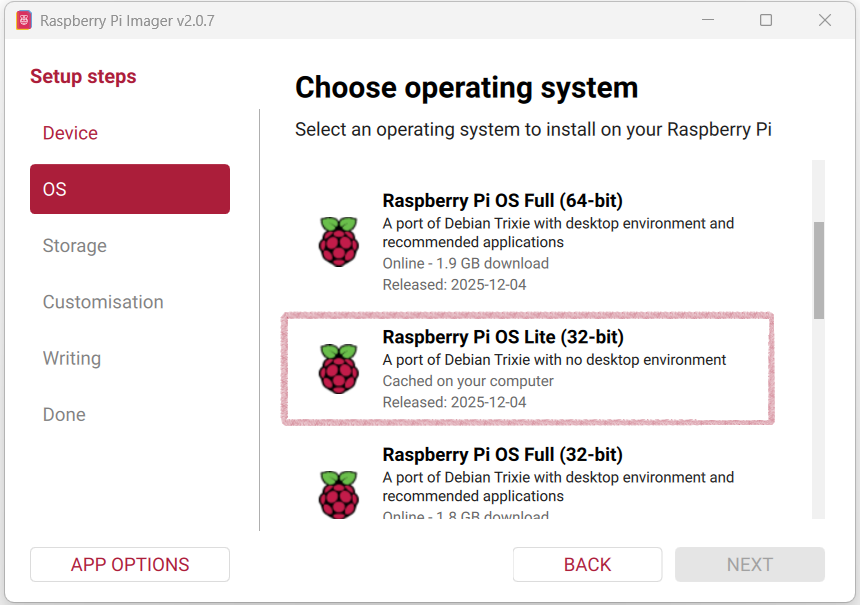
Note: Further instructions assume that we chose the default account name.
Flash the image onto the MicroSD card.
Waveshare LCD drivers
Note: Waveshare Wiki — 2.8inch DPI LCD
Please read it before proceeding, since the process of deploying their driver may change.
Open the config.txt file in the root directory of the TF card, add the following lines at the end, and save:
dtoverlay=vc4-kms-v3d
dtoverlay=waveshare-28dpi-3b-4b
dtoverlay=waveshare-28dpi-3b
dtoverlay=waveshare-28dpi-4b
dtoverlay=waveshare-touch-28dpi
dtoverlay=vc4-kms-dpi-2inch8
Download the DTBO file from
https://files.waveshare.com/wiki/2.8inc-DPI-LCD/28DPI-DTBO.zip,
unzip it, and copy the contents into /boot/overlays.
At this stage, we should be ready to insert the TF card with the OS image into your Raspberry Pi and boot into the OS.
sudo raspi-config
Enable SSH access.
Console orientation
The first thing we will notice at boot time is that the console appears sideways.
Build and install Basilisk, and its UI will appear sideways too (don’t ask me how I know).
A video kernel command-line argument will not fix the problem for Basilisk, but we can at least correct the console at this stage.
Open the command-line arguments file for editing:
sudo vi /boot/firmware/cmdline.txt
and add the following in front of other arguments:
video=DPI-1:480x640M@60,rotate=270
Be sure to separate it from other arguments with a space and keep everything on the same line, or it won’t work.
Build prerequisites
Before doing anything else, bring the OS up to date:
sudo apt update
sudo apt full-upgrade -y
sudo reboot
Since we will build the SDL2 library and Basilisk II emulator from source, we need to install the build tools and essential libraries:
sudo apt install -y \
    build-essential \
    git \
    autoconf \
    automake \
    libtool \
    pkg-config \
    libsdl2-dev \
    libasound2-dev \
    libslirp-dev \
    libgtk-3-dev \
    libgl1-mesa-dev \
    libgles2-mesa-dev
Downloading, configuring, and building SDL2
Note: Check the download page and get the latest SDL2 release. Do not download SDL3 (don’t ask me how I know).
At the time of writing, SDL2-2.32.10 was the latest release. Adjust accordingly.
cd ~
wget https://libsdl.org/release/SDL2-2.32.10.tar.gz
tar xf SDL2-2.32.10.tar.gz
cd SDL2-2.32.10
Configure SDL2 without X11, Wayland, PulseAudio, or OpenGL, and with KMSDRM
./configure \
    --disable-video-x11 \
    --disable-video-wayland \
    --disable-video-opengl \
    --disable-video-vulkan \
    --disable-pulseaudio \
    --disable-esd \
    --enable-video-kmsdrm \
    --enable-video-rpi \
    --enable-video-dummy
Build and install
make -j4
sudo make install
sudo ldconfig
This gives you a pure KMSDRM SDL2 build, ideal for headless Basilisk II.